


My music lives in too many places: Spotify, a server under the desk, Plex, the phone in my pocket. Gexis Player brings all of it to one place, a Raspberry Pi 4 with a good DAC and a touchscreen, sitting next to the amplifier.
It’s an audiophile streamer for the Raspberry Pi and the DIY audio community. Playback is bit-perfect and tested up to 24-bit / 192 kHz, with every source on one screen and setup from a phone in minutes. It’s free and open source, with no ads, no account and no subscription. Some streaming services bring their own terms: Spotify Connect needs Spotify Premium, and Plexamp needs a Plex account.
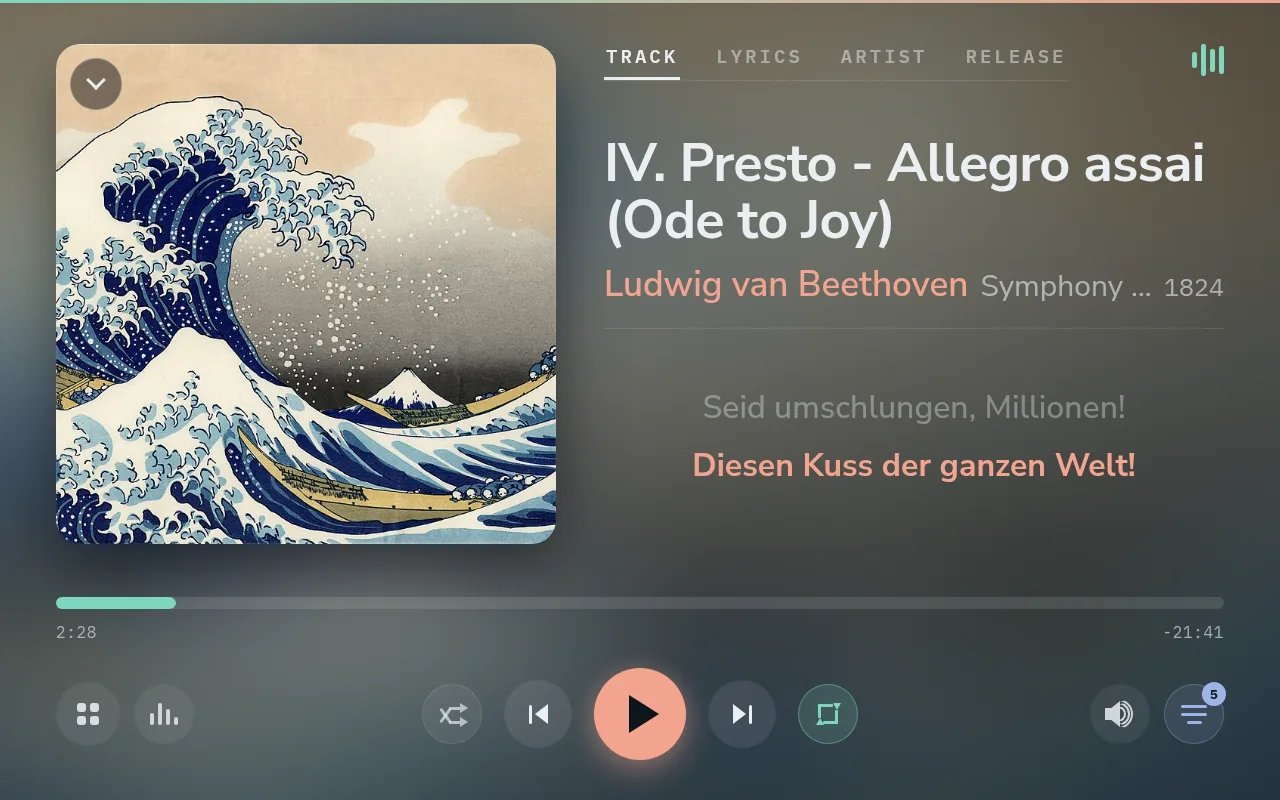
Plays from the apps already in use
The player appears as a speaker in the Spotify app, as a player in Lyrion and Plexamp, and as a Bluetooth speaker on a phone. Start playing from any of them and Gexis hands over. The source that was playing is stopped politely, a short transition shows who’s taking over, and the new one plays.
There’s nothing to disconnect first and no juggling apps when two of them want the DAC. The newest deliberate choice wins, and the others are told.
Sounds the way the file does
Nothing in the chain resamples, so what reaches the DAC is what’s in the file. It’s tested up to 24/192, and a DAC that takes higher rates, such as a USB DAC, should get them too, though that’s untested.
Volume is set in the DAC’s own hardware where it has one, in software where it doesn’t (HDMI), or fixed for an amplifier that handles it. A maximum level holds for every source, and Spotify never starts louder than allowed. Because Gexis is the whole system rather than an app on someone else’s, the audio chain can be checked instead of taken on trust.
Shows every track the same way
Every track gets artwork, synced lyrics, artist biographies and photos, and the album it’s from, whether it came from Spotify, local files, Plex or a phone.
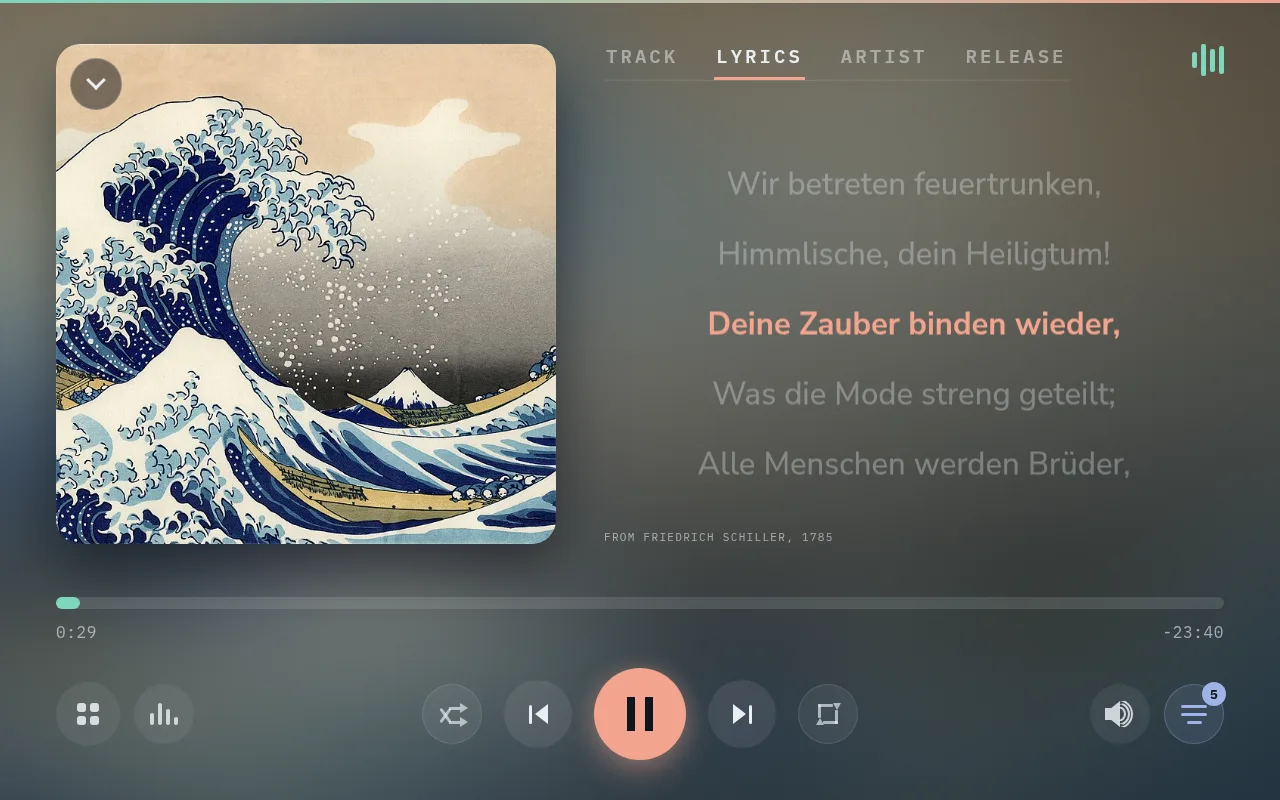
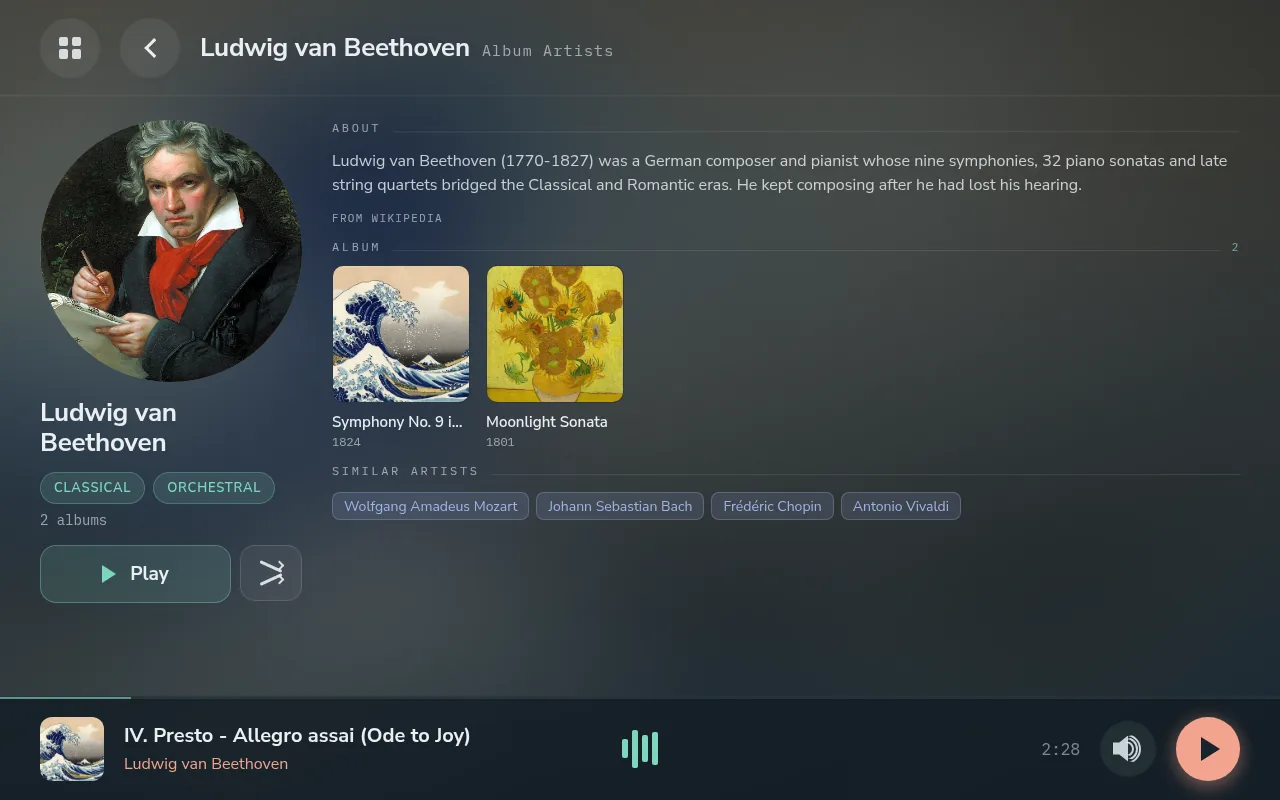
When nothing is playing, the screen shows a clock, the weather and wallpapers. For just watching the music, there are up to 287 visualiser skins. They range from studio VU meters and a spectrum from 50 Hz to 16 kHz to turntables and tape decks whose records and reels turn as the music plays.


The same player runs on bar displays, with layouts made for their shape:

Set up from a phone, and stays set up
On first boot the player opens its own Wi-Fi, the panel shows two QR codes, and the phone walks through the rest: Wi-Fi, a name, the time, the output, the music and the screen. The screen and the DAC are recognised where possible, so most answers are already filled in.
After that, updates arrive over the network and every setting is on the phone as well as the panel. The phone also works as a touchpad for the screen, and a backup restores everything onto a new card during setup. No keyboard, no terminal, no config files.
The library, with Lyrion
Gexis plays local music through Lyrion Music Server, the free, open-source server that grew out of Logitech Media Server and SlimServer. Its community has been refining it for two decades. Gexis doesn’t reinvent a library; it uses one of the most mature there is.
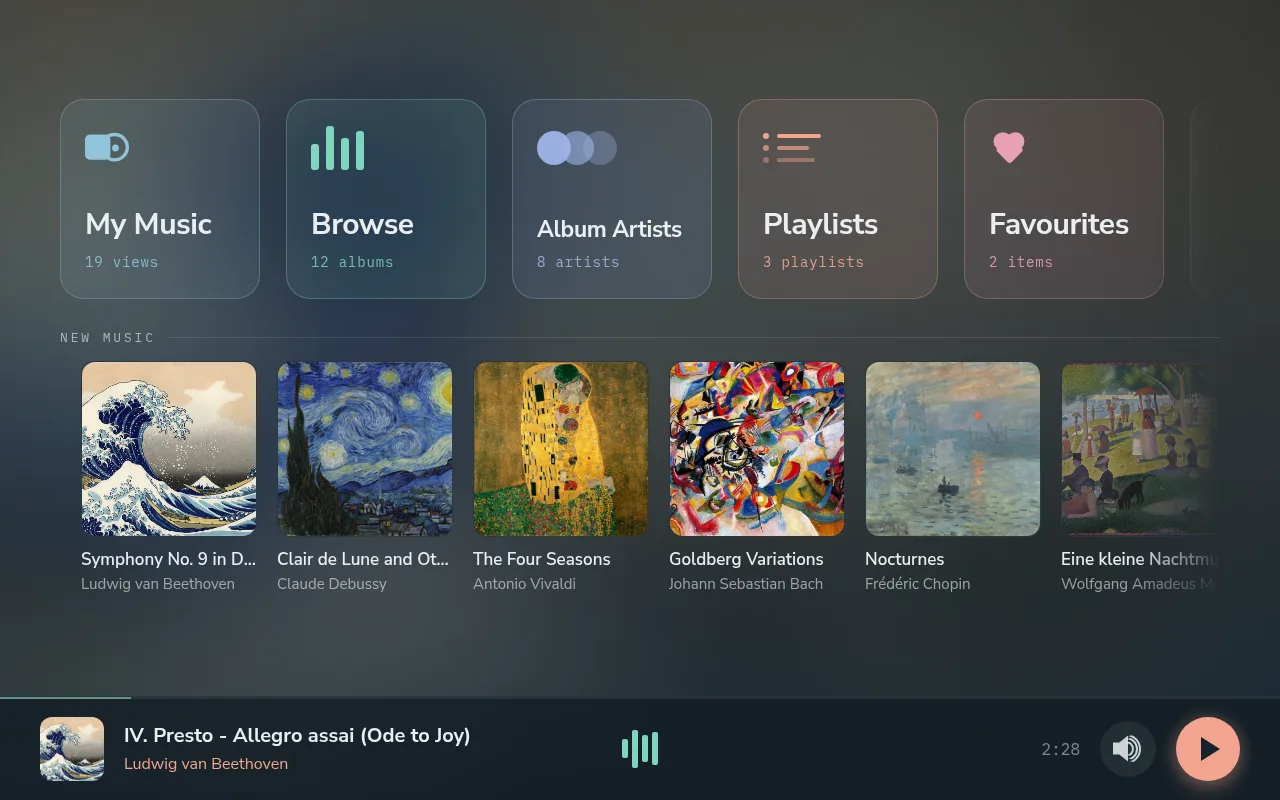
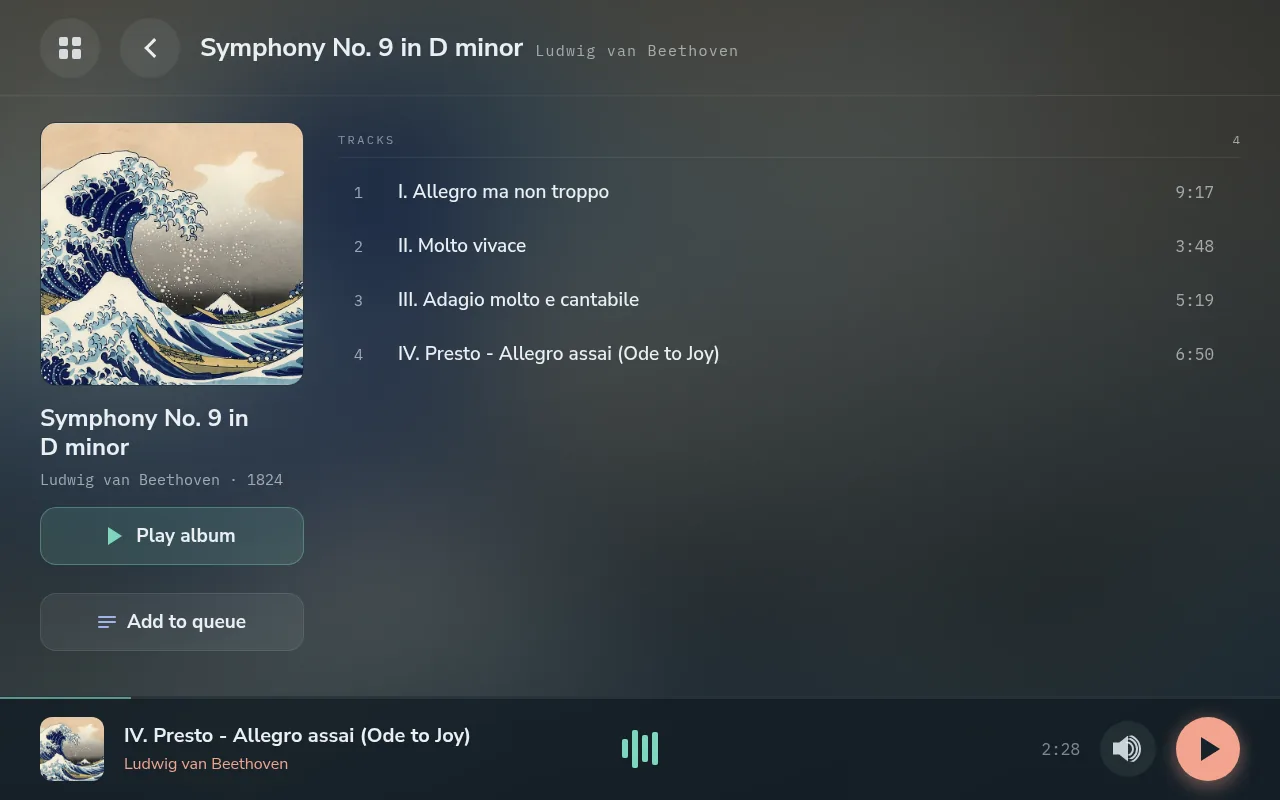
- Built for big collections. Tens of thousands of files on a NAS, a USB drive or a share, browsable by album, artist, genre, year and playlist.
- High resolution, untouched. Hi-res FLAC, WAV and AIFF reach the player at their own sample rate and bit depth.
- Its own plugins. Internet radio, podcasts, streaming services, artist information and smart mixes, all playing through the same player.
- Wherever it suits. Use an existing Lyrion server, or switch on the Lyrion Server plugin and let the player keep the library itself. Its scans run at the lowest priority: a full scan of a large library played through 40 minutes without a gap. Spotify, Plexamp and Bluetooth all work without Lyrion.
Built to be extended
A plugin adds either a source that plays through the player or a service that runs beside it. Plugins are switched on, updated or removed from Settings, with their progress shown in the switch itself.
Ready today are Plexamp, the Lyrion Server, the visualiser skin packs, and Beszel monitoring. Plugins can be written in any language: they speak a small JSON protocol over a local socket and run in a sandbox the player sets up. The plugin guide goes from an empty folder to a plugin installed from a phone.
Limitations, up front
- Tested hardware is narrow for now: a Raspberry Pi 4 (4 GB), the HiFiBerry DAC2 HD and IQaudIO Pi-DAC PRO, and four HDMI touchscreens. Other DACs, screens, USB DACs and rates above 24/192 are untested. Hardware feedback on the player tests new hardware and fills in most of a report.
- A phone gets Settings and a mini player, not the whole player. Browsing the library happens on the panel, in a Lyrion app, or in a streaming app.
- Plexamp keeps its own volume. Plexamp scales the sound inside its own engine, so its slider and the panel’s are separate numbers.
- It’s a hobby project, not a store product, with no support team behind it.
Where it stands
Testing releases are out. The player is built in the open, plays every day on its reference devices, and updates itself over the network, so a new release never needs a reflash. The first Stable release is next. Later come themes and, with Plex switched on, artist and album information that other sources leave out.
I love hi-fi, and I had a clear idea of how a player should work, so I built it carefully, with the help of AI, and tested it on real hardware. It’s built on many years of other people’s open-source work (PeppyMeter and its skin artists, squeezelite, go-librespot, bluez-alsa, Lyrion, Raspberry Pi OS), so it goes back out the same way: free, under the GPL, with every line in the open.
Source, manual and releases: github.com/gcarstoiu/gexis-player
Screenshots show a public-domain demo library.
Comments
0