
Gexis Player plays through whatever the Raspberry Pi 4 has to offer: a DAC board on top, a USB DAC, either HDMI port to a TV, sound bar or AV receiver, or the Pi’s own headphone jack. A DAC gives the best sound, but the Pi’s own outputs work too.
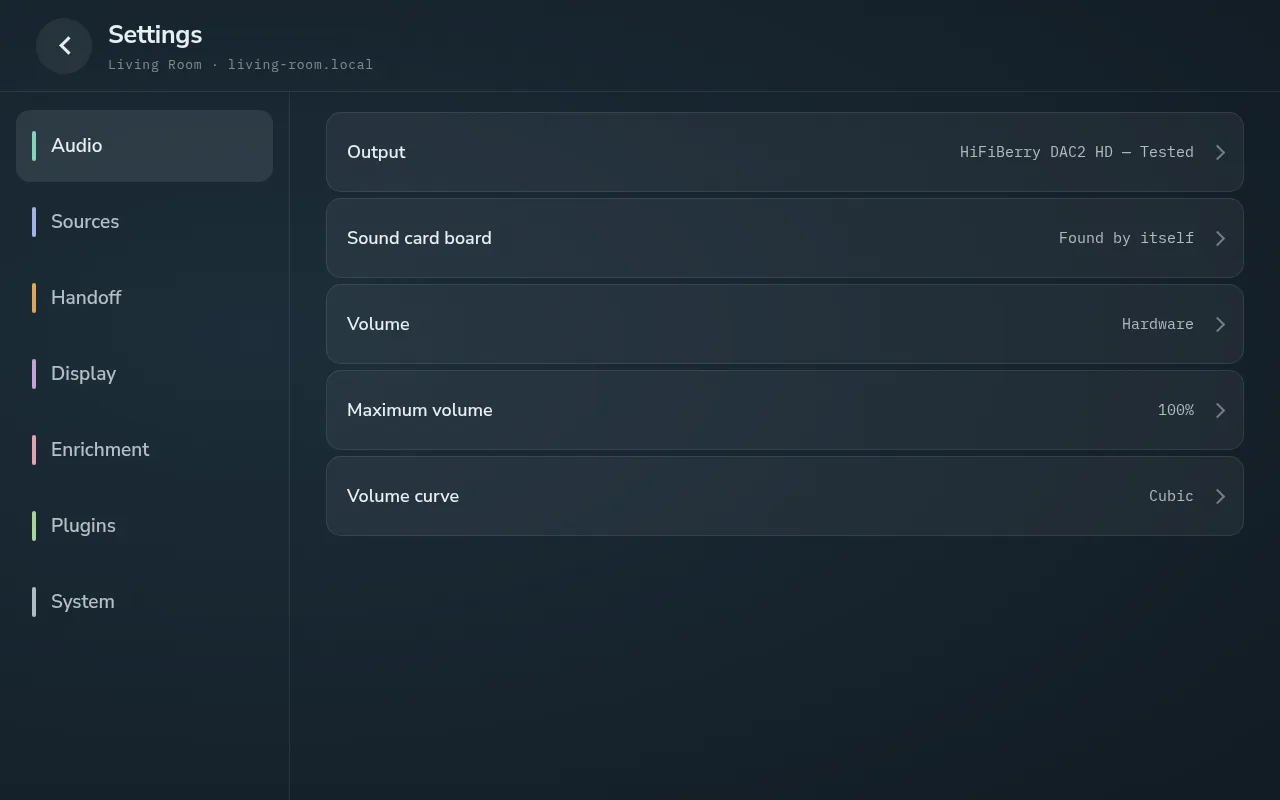
Settings → Audio: the output, here a tested DAC board found by itself, and the volume type.
🎧 The boards that have been tested
- HiFiBerry DAC2 HD: the bench board throughout the player’s development. Tested.
- IQaudIO Pi-DAC PRO: recognised by itself; every rate from 44.1 to 192 kHz reaches it unchanged, and its own volume control is used. Lyrion, Spotify, Bluetooth and Plexamp were all measured on it. Tested.
- A USB DAC (an SMSL): found by itself and shown by its maker. Every rate from 44.1 to 768 kHz reached it unchanged (from Lyrion over the network, up to 384 kHz), and with the volume on Fixed it played DSD natively. Tested.
The player’s list holds 97 more boards, from HiFiBerry, Allo, IQaudIO, JustBoom, Innomaker and others. Each output under Settings → Audio → Output says how far it is known:
- Tested: played and measured on the project’s own hardware.
- Reported: at least one owner reported it working (Reported with problems if one did not).
- Known: on the list, untested.
- Detected: a class-compliant USB DAC, with a line saying what it reports it can take, for example USB 2.0 · up to 768 kHz / 32-bit · native DSD.
Most boards and every USB DAC are found by themselves; one that is not can be chosen under Sound card board.
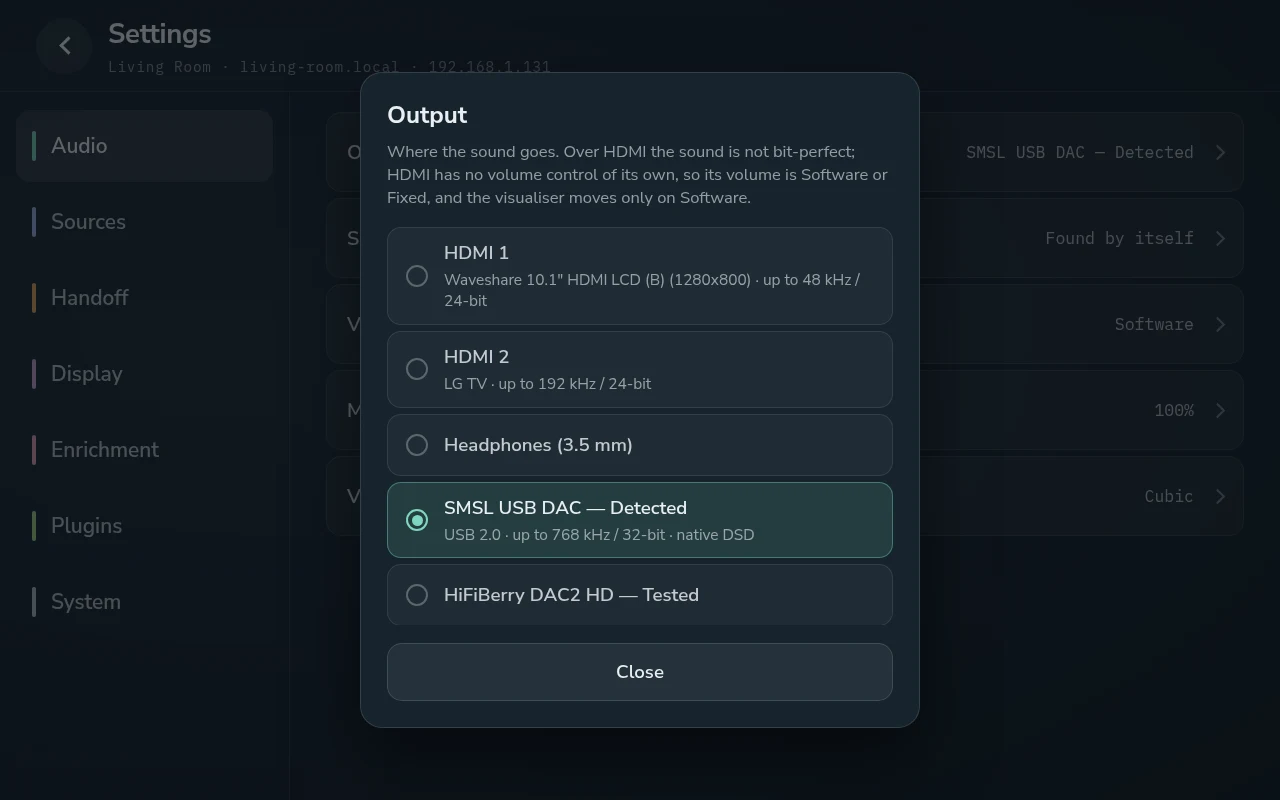
The Output picker: each output, how far it is known, and what is on each HDMI port.
🎯 Bit-perfect, and the three volume types
Through a DAC with its own volume control, the sound is bit-perfect up to 24-bit / 192 kHz. The volume is set in the DAC’s hardware, not by changing the samples, and each track is sent at its own rate, without resampling. It is also why a DAC can click when a 44.1 kHz track is followed by a 96 kHz one: its clock changes.
Settings → Audio → Volume chooses how the level is set:
- Hardware (the default): the sound card’s own control. Bit-perfect at every level.
- Software: the player recalculates the sound, on any output. Not bit-perfect below 100 %.
- Fixed: always full level, for an amplifier that sets the volume itself. The slider becomes a padlock. On a DAC that takes DSD natively, Fixed also plays DSD files from Lyrion as DSD; otherwise they are converted to PCM.
Most USB DACs have no volume control of their own, so theirs is Software or Fixed. Plexamp lowers its volume inside its own software, so below 100 in the Plexamp app it is not bit-perfect either.
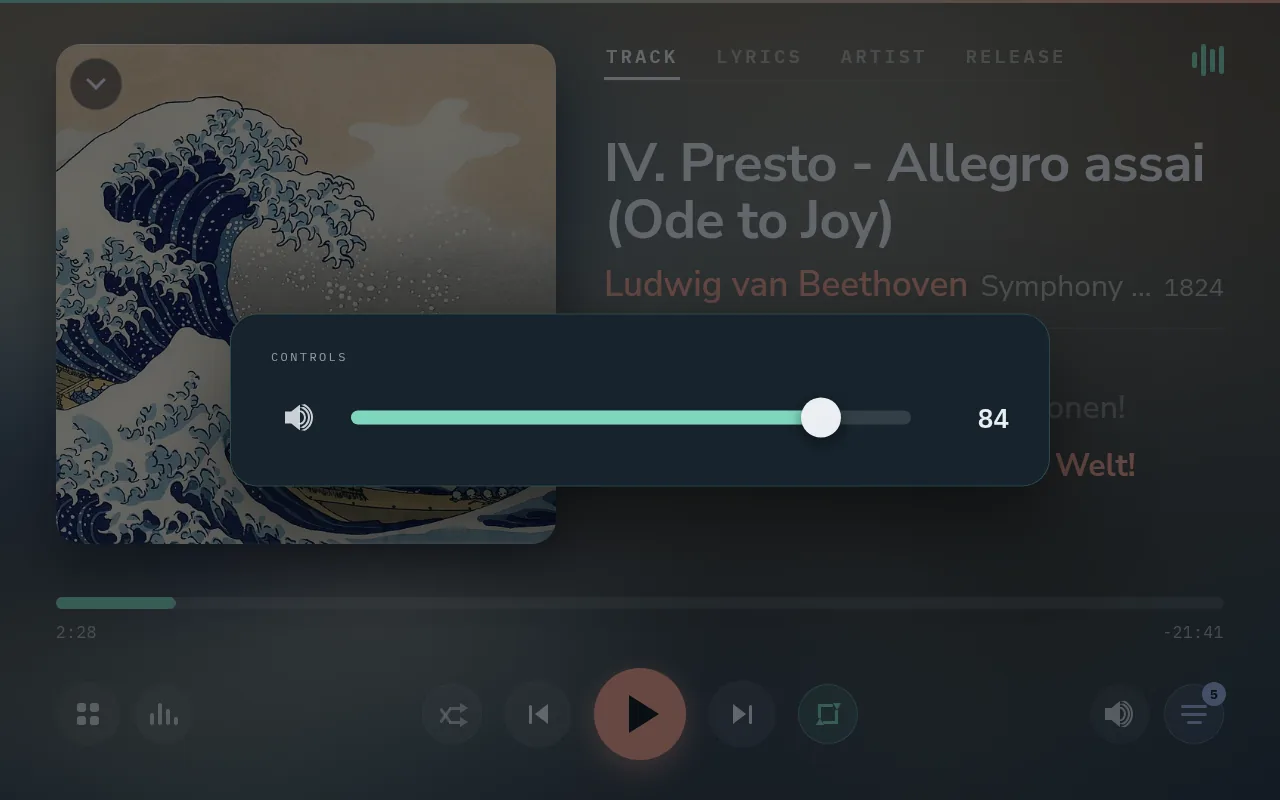
The volume drawer on Now Playing.
📺 HDMI: a TV, a sound bar or a receiver
Either of the Pi’s HDMI ports can carry the sound. The Output picker names what is on each port, a TV or receiver by its own name, and the sound it takes, for example up to 192 kHz / 24-bit. A TV can be the screen too, and when its port also carries the sound, display standby only blacks the picture: the music goes on.
Over HDMI the sound is not bit-perfect. HDMI has no volume control of its own, so its volume is Software or Fixed, and the visualiser moves only on Software.
🔁 When the receiver is switched off
If the HDMI device the sound goes to disappears, say a receiver switched off, the headphone jack takes over until it is back, and the player returns to HDMI by itself. While the jack stands in, it plays on its own volume and never on Fixed, so headphones plugged into it are never sent full level. Settings → Audio → Output says why the jack is playing. Each switch is a change of output, so it stops what is playing; start it again when ready.
In 1.0.0 and 1.0.1 this switch never happened; release 1.0.2 fixed it.
Comments
0